The open-source Kubernetes desktop app
A clearer view.
Of every cluster.
Explore resources. Follow logs. Get to the shell.
One focused workspace for the way you work with Kubernetes.
Free and open source. For macOS, Windows, and Linux.
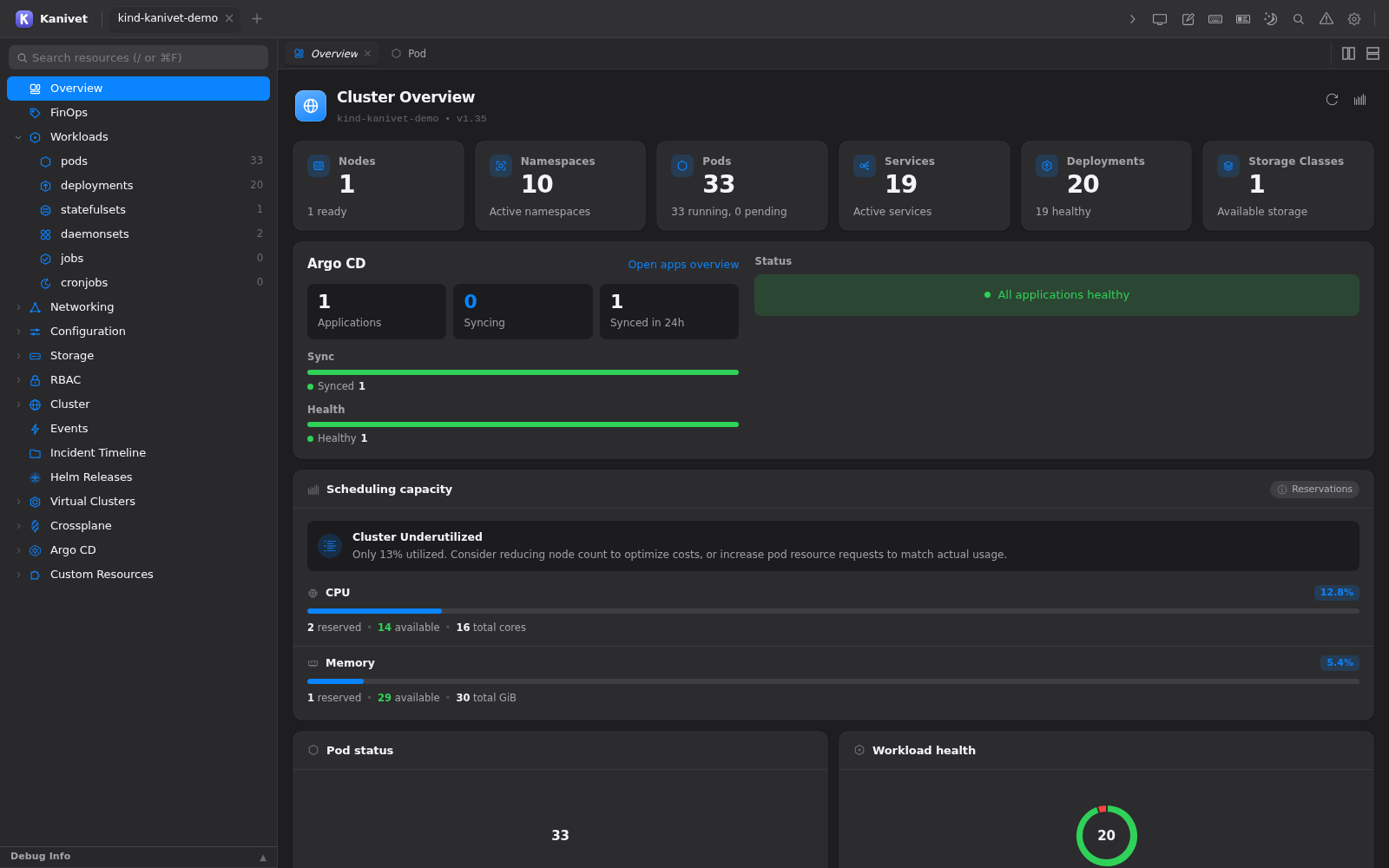
Less switching. More context.
Go from the big picture
to the line that matters.
Start with a cluster. Find the workload. Inspect its state, read its logs, and open a shell. Kanivet brings the everyday work of Kubernetes together on your desktop.
Get to know KanivetA closer look
The tools you reach for.
Already together.
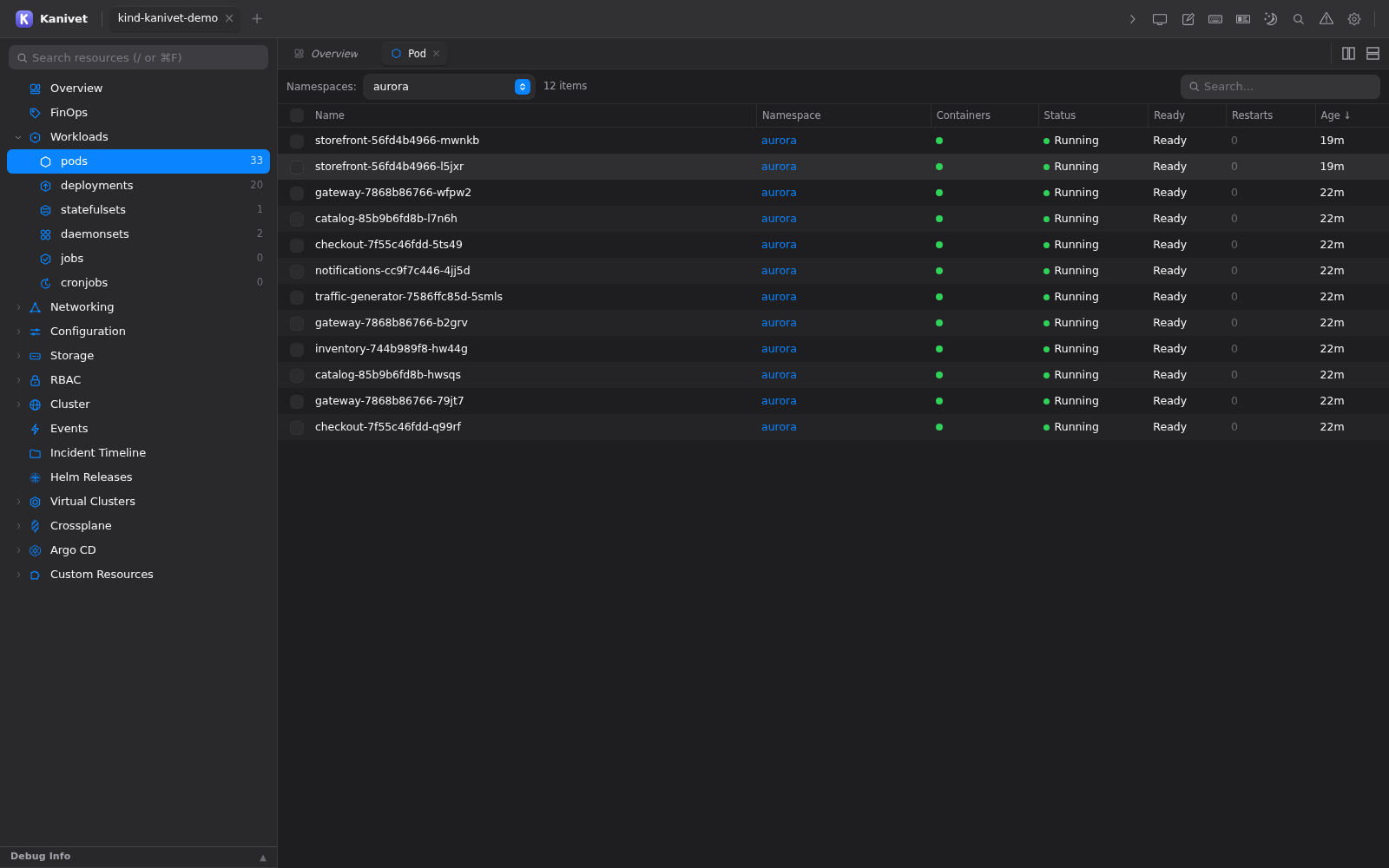
Your cluster, in context.
Browse workloads, services, storage, and custom resources in one tree. Switch namespaces and follow live resource updates without losing your place.
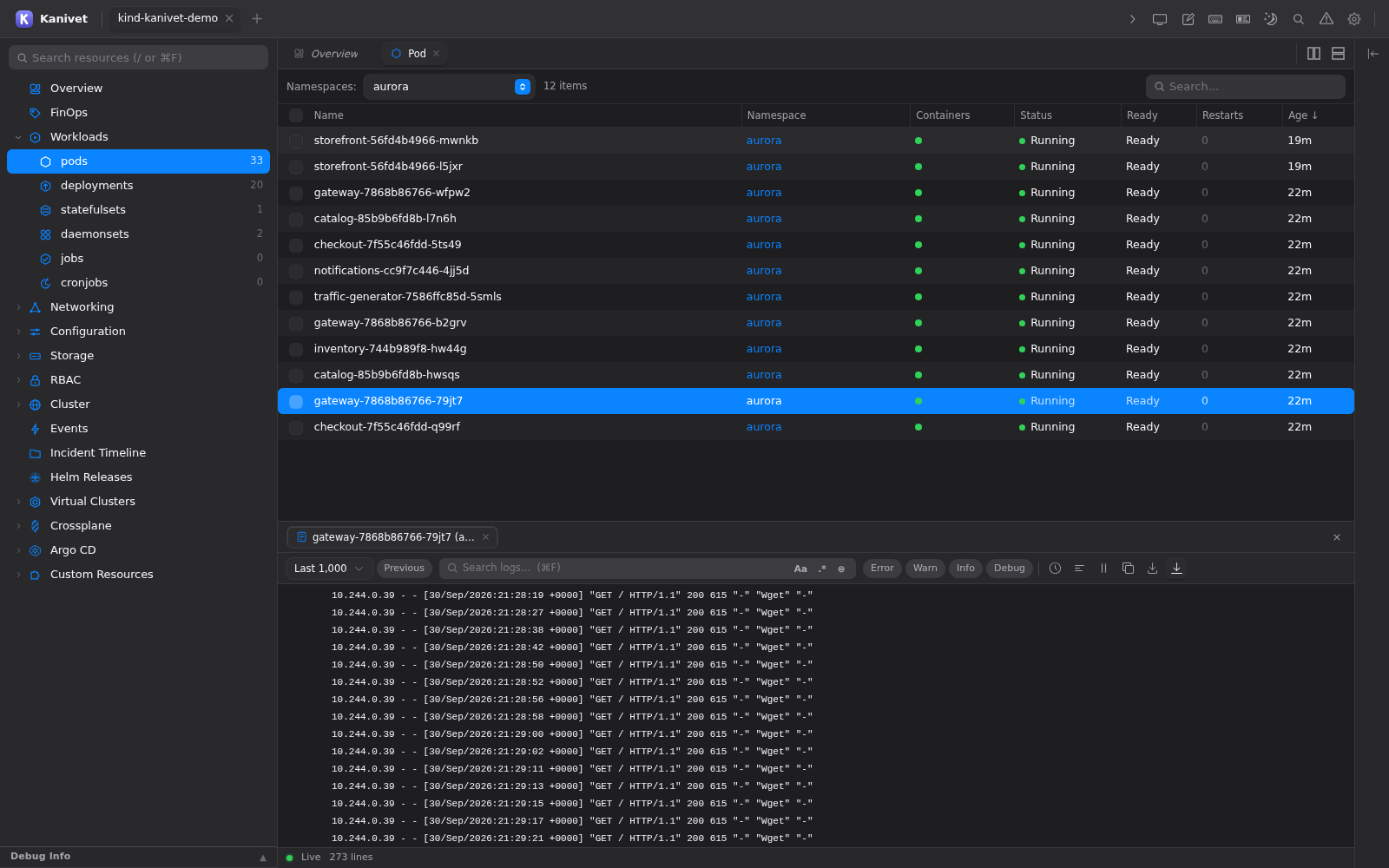
Follow the story in your logs.
Stream container logs, search for the lines that matter, and investigate workloads with Kubernetes events close at hand.
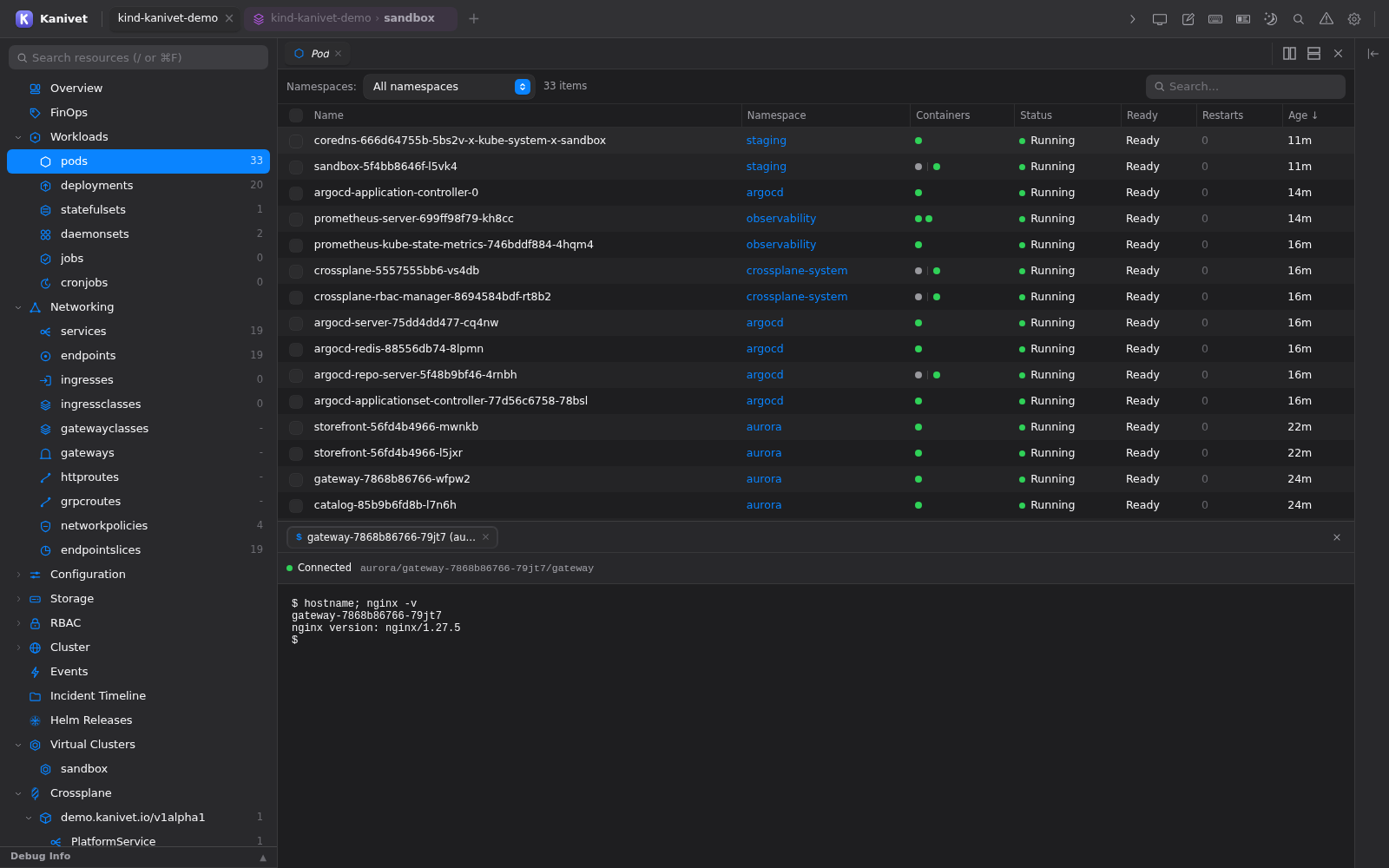
Stay close to the shell.
Open a pod shell right where you are working. Use port forwarding to reach a pod or service from your local machine.
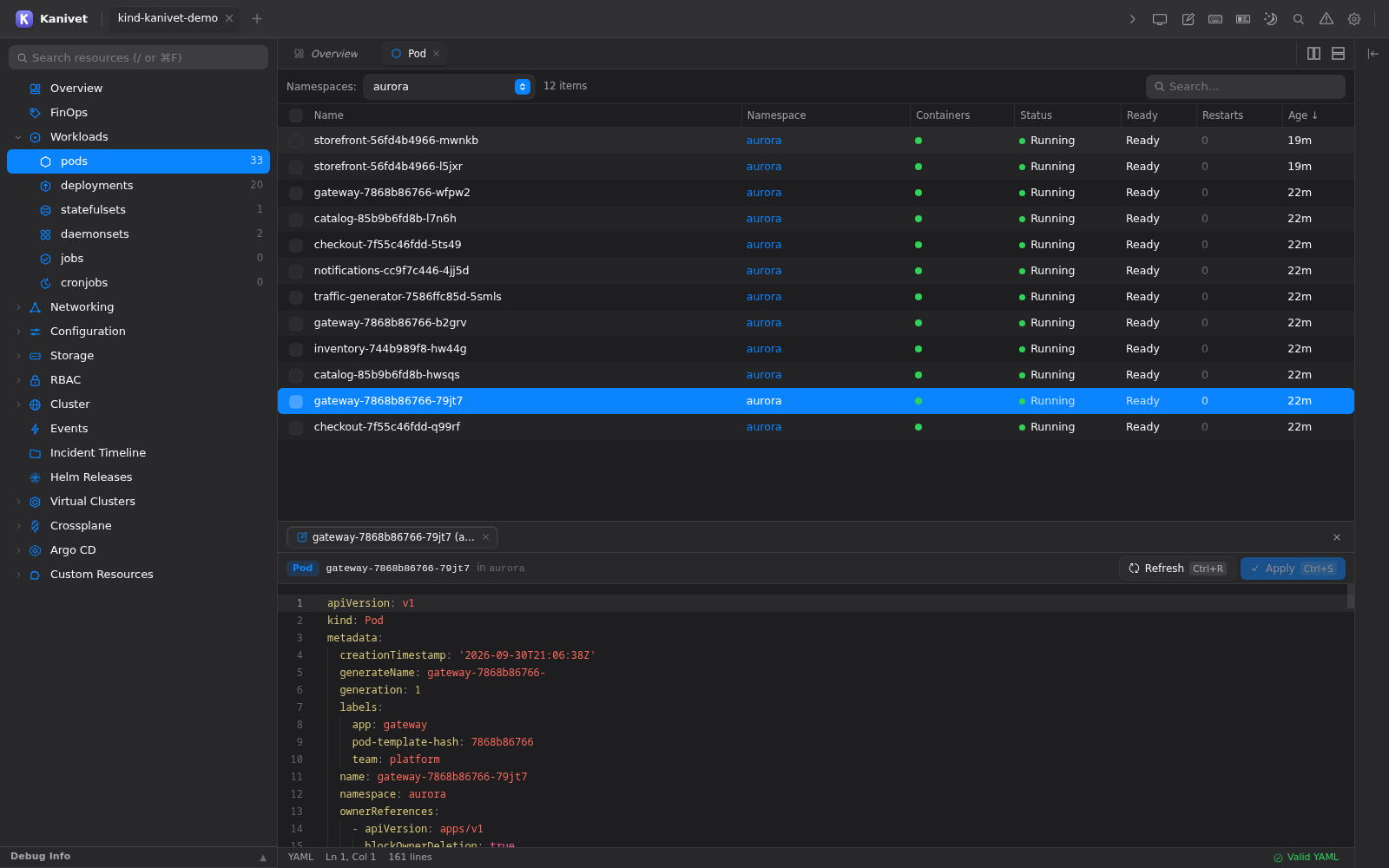
From inspection to definition.
Read, create, and update resource definitions in the built-in YAML editor. Your existing Kubernetes permissions determine what you can change.
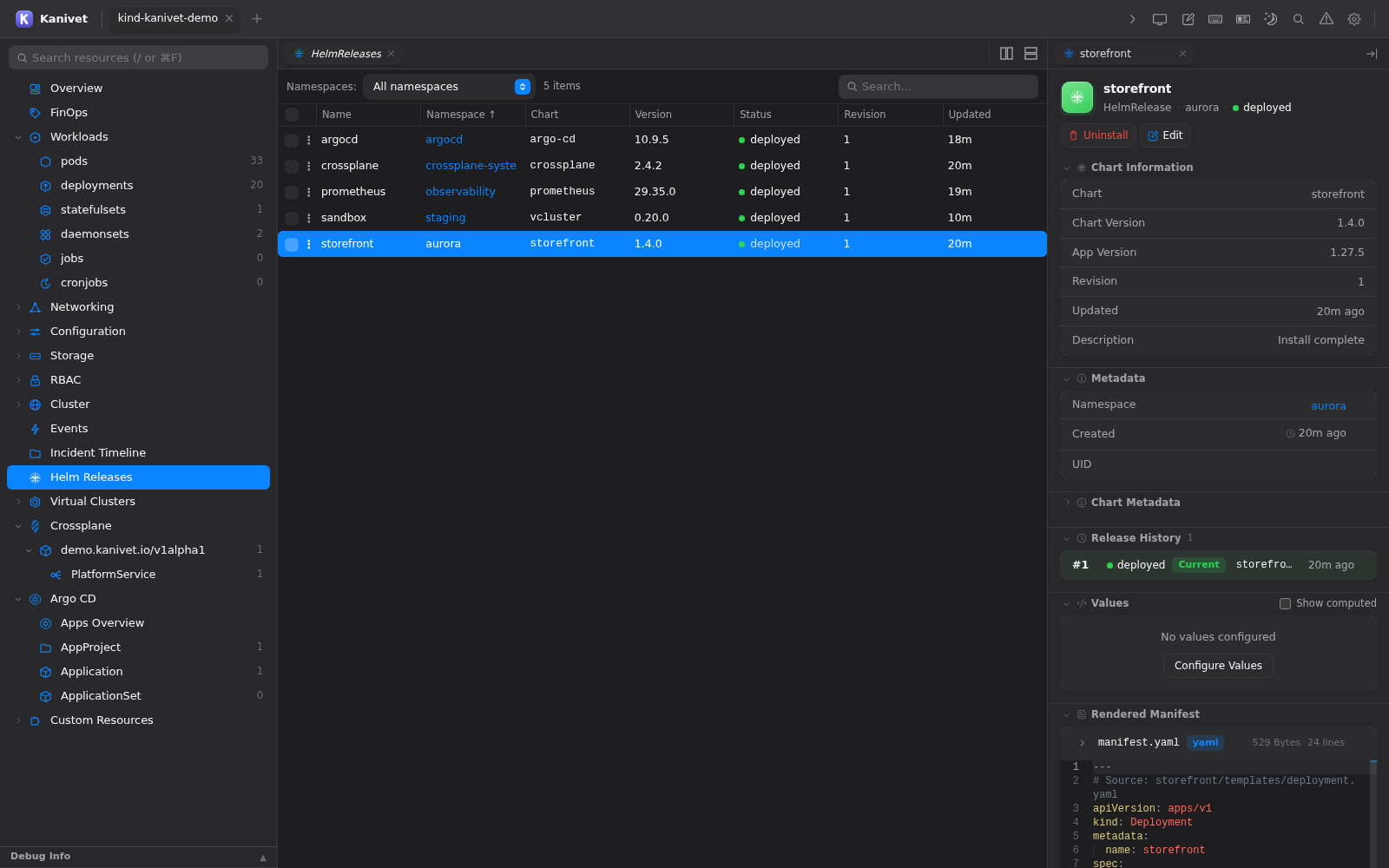
Keep releases in view.
Inspect Helm releases, review their values, and manage upgrades alongside the resources they run.
See what your workloads need.
Inspect CPU and memory usage alongside requests and limits. Connect supported metrics integrations for a closer look at resource use.
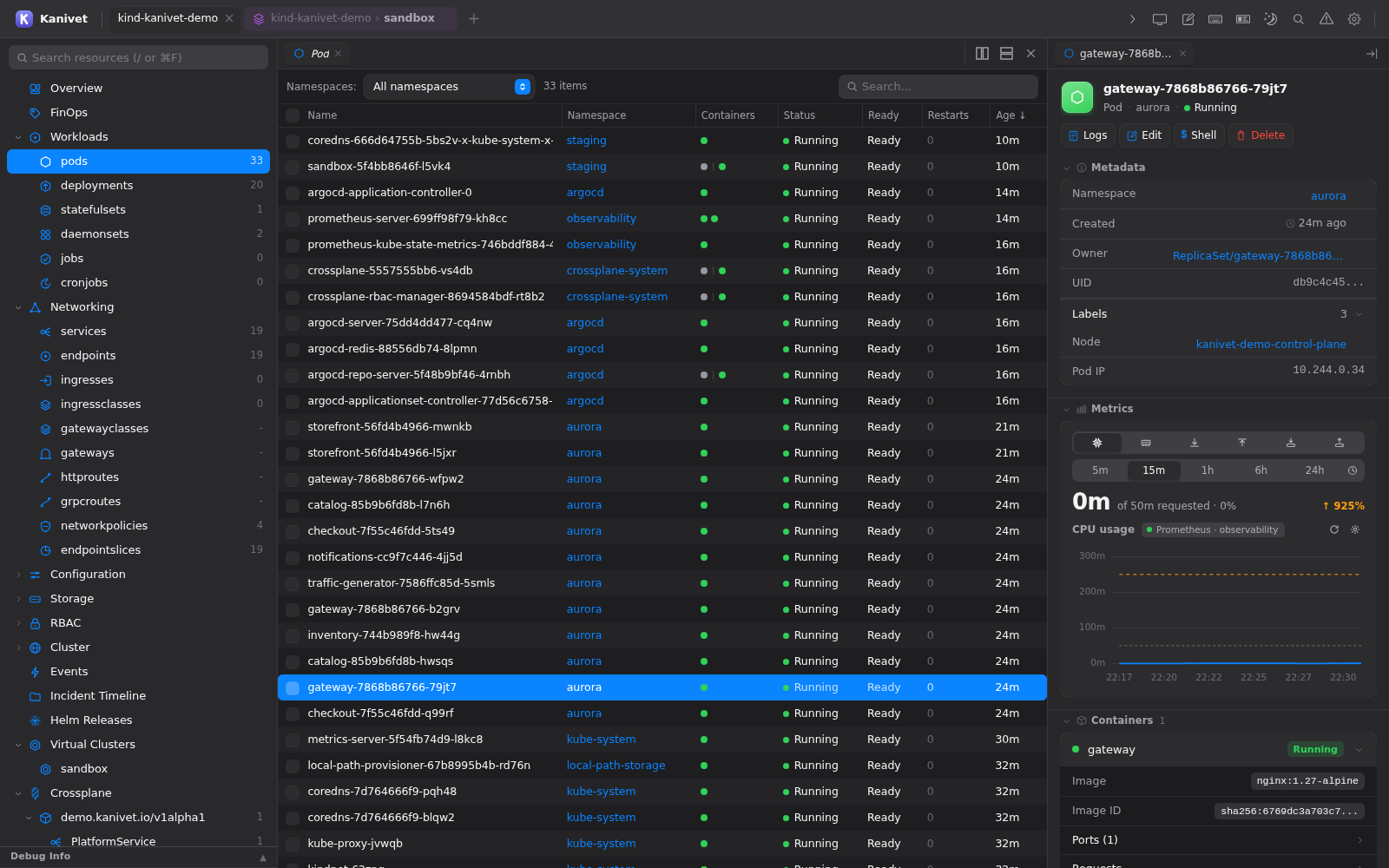
Available actions depend on your cluster permissions. Metrics require a supported metrics source.
Part of your environment
Your stack.
Not a new one.
Connect with your existing kubeconfig. Keep your cloud sign-ins and Kubernetes access controls.
- Multiple clusters
- Move between clusters and namespaces. Discover EKS, AKS, and GKE through provider authentication.
- GitOps & infrastructure
- Inspect Argo CD applications, trace Crossplane resource relationships, and connect to vCluster instances.
- Resource costs
- Explore estimated costs, resource efficiency, and idle costs with optional FinOps integrations.
- Direct connections
- Basic resource browsing needs no Kanivet service installed in your cluster. Cloud authentication may require your provider’s CLI.
Open by design
Your workbench.
And your source code.
Kanivet is free and open source under Apache 2.0. Download the app, inspect how it works, or build it yourself.
Found something that could be better? Report an issue, suggest a feature, or contribute a change.
Good to know
A few details.
How do I connect my first cluster?
Start with a working kubeconfig and network access to your cluster. Launch Kanivet, use Quick Find in the cluster selector, then choose a namespace. If your kubeconfig uses a cloud authentication plugin, install its CLI and sign in first. Read the quickstart.
Do I need to install anything in my cluster?
No Kanivet service is required for basic resource browsing. The desktop app connects to Kubernetes APIs using your existing credentials and permissions. Metrics, costs, and ecosystem features depend on the integrations available in your environment.
Is Kanivet free to use?
Yes. The application’s original source code is licensed under Apache 2.0. Download a release or build from source. Third-party components retain their own licenses.
What about privacy and telemetry?
Kanivet connects from your desktop to your clusters. For the current details on local storage, installation counting, and how to disable anonymous telemetry, read the project’s privacy and data handling documentation.

Make yourself at home
Meet your new workspace.
Kanivet for macOS, Windows, and Linux.
Download on GitHubChoose your platform and architecture on the release page.
brew install --cask kanivet-ai/kanivet/kanivet